A day ride never troubles any of these units. A four-day tour with no reliable charging does, and so does a wrong turn in a valley with no phone signal. Those two things — stated battery hours, and a map stored on the device — are what this list is ordered by.
The first is stated battery life, because a computer that needs charging halfway through a day changes what you carry and where you stop. The second is whether there is a real map on the device rather than a route line, because the moment a map matters is exactly the moment there is no signal.
The order, and why
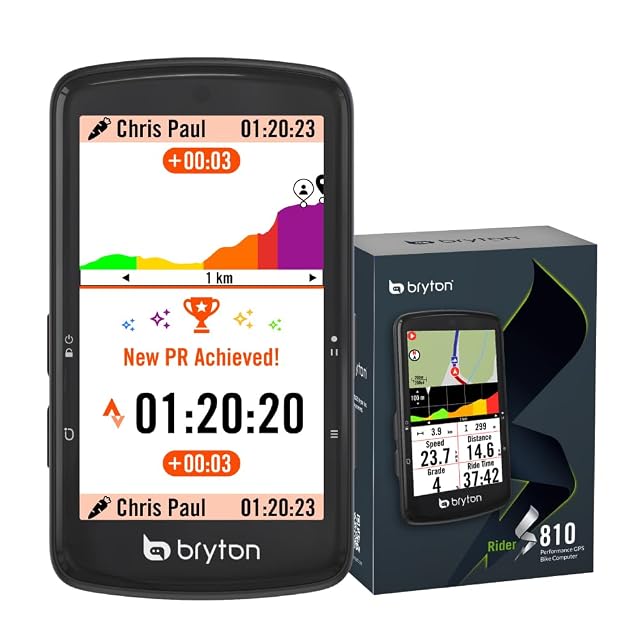
1. Bryton Rider S810. Fifty stated hours, a 3.5-inch screen — the largest here — and an offline Europe map. Fifty hours means the computer stops being something you plan around, and on a screen that size a map is legible rather than merely present. It also predicts climbs from map data as you ride, which needs no route loaded in advance. It sells far less than the Garmin and it is the better touring unit.
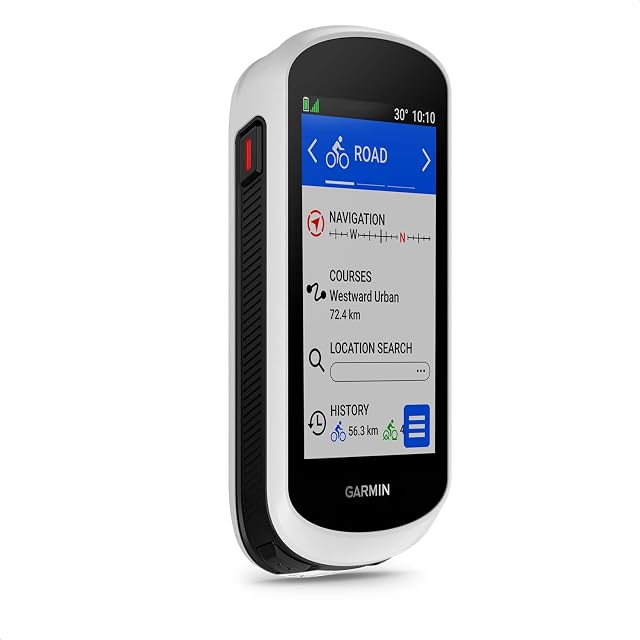
2. Garmin Edge Explore 2. A preloaded Europe map, a 3-inch touchscreen, e-bike routing, and sixteen stated hours. Sixteen is enough for a long day and not enough for two, so this is a unit you charge every night. What you get for that is the largest accessory and software ecosystem in cycling, and firmware support measured in years.
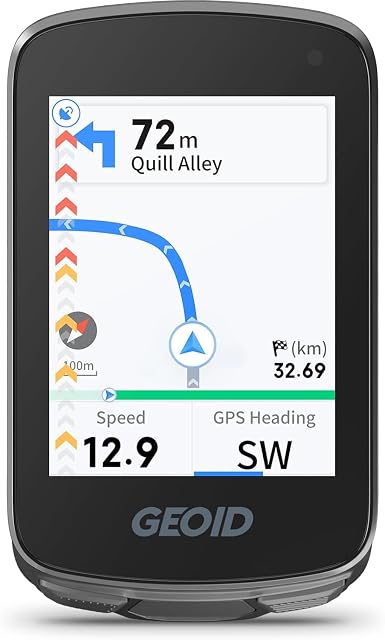
3. GEOID CC700. A 2.8-inch color screen, GPX route following, ANT+, Bluetooth and WiFi, IPX7, and fifteen to twenty-five stated hours, at the entry price. GPX following is not the same as a map: it draws your route and shows you when you have left it. For a tour planned entirely in advance, that is often all you use.
What to check before you order
Measure the space on your bars between the stem and your light. Three and a half inches is a lot of computer next to a lamp and a phone mount, and the mount supplied is usually an out-front bracket that needs clear bar in front of it.
Which one fits how you ride?
You follow routes you have planned
Navigation and battery life are the two specifications, and everything else is secondary.
You ride multi-day tours
Battery life and the ability to charge while riding decide whether the device is useful on day four.
You just want speed and distance
A basic computer does that for a fraction of the cost and lasts for months on a coin cell.
You already use your phone
A phone navigates well and drains fast; a dedicated unit exists mainly to solve that.
Picking by how you ride
Following a planned route
The core use for touring. Turn-by-turn or a breadcrumb line, and the ability to recover when you go off course.
Multi-day riding
Where battery life is the whole question and where charging from a dynamo or power bank matters.
Recording rides
Where almost any device works and where the difference is which platform you use afterwards.
Training
A different set of demands: sensor support and data fields rather than maps and battery life.
What really separates these
Battery life in real use
Stated figures assume modest settings. Navigation with the screen on and sensors connected drains far faster, and that is the number that matters on tour.
Maps or breadcrumb
Full maps let you improvise and reroute; a breadcrumb line only shows the planned track. On tour, the difference is significant.
Screen readability
In sunlight, in rain, with gloves. A screen you cannot read is a device you will stop using.
Charging while riding
Whether it can run from a power bank or dynamo without stopping. On a long tour this is more useful than a bigger battery.
How routes get onto it
Loading a route should be simple. A device that fights you at the planning stage is a device that gets left at home.
Which figure for which ride
Your riding
The device
What decides it
Multi-day touring
Maps and long battery
Charging while riding
Day rides on known roads
A basic computer
Battery lasts months
Following planned routes
Turn-by-turn navigation
Ease of loading routes
Training
Sensor support
Data fields, not maps
Where riders go wrong
Trusting the stated battery life
It assumes settings you will not use. Navigation, backlight and connected sensors together cut it dramatically, and that is the figure that matters.
Buying a breadcrumb device for touring
Without maps you cannot reroute when a road is closed. On a planned tour that turns a detour into a problem.
Relying on it alone
Devices fail, batteries die and mounts break. A paper backup or a phone with an offline map is worth carrying.
Not testing route loading before leaving
Getting a route onto the device is where people struggle. Doing it once at home is far better than at a campsite.
By the kind of rider you are
The tourer
A mapping device with long battery life and the ability to charge while riding.
The commuter
A basic computer, or nothing at all. Speed and distance rarely change a commute.
The route explorer
Full maps and a comfortable planning workflow, because rerouting is the whole point.
Servicing and how long it holds up
Bike computers fail at their charging port and their mount. The port lets water in when the cover is not closed, and quarter-turn mounts crack with age and vibration, which is how devices end up on the road.
Close the charging port cover every time; that is the water route.
Inspect the mount for cracks; plastic quarter-turn mounts fatigue.
Use a tether on the mount if the device is expensive.
Keep the firmware current, since navigation software changes.
Safety
A screen on the handlebars is a distraction as well as a tool.
Set the route before you set off rather than fiddling while moving.
Do not stare at the screen in traffic; audible turn prompts exist for that reason.
Carry a backup navigation method on any serious tour.
Check the mount before every ride; a device in the road is a hazard to others.
3.5" touch · 50 h battery · offline Europe map · ANT+/BLE
The longest-running computer here by a wide margin — fifty hours stated — with a 3.5-inch touchscreen, offline European maps and turn-by-turn navigation.
Best for: Multi-day touring and long events where charging is inconvenient and the map has to work offline.
2.8" color · GPX routing · ANT+, BLE, WiFi · IPX7 · 15–25 h
A 2.8-inch color GPS computer with GPX route import and turn instructions, ANT+, Bluetooth and WiFi, an IPX7 rating and 15 to 25 hours of stated battery life.
Best for: A first mapping computer, for riders who plan routes on a phone or computer and follow them on the bike.
More than the riding hours, because navigation with the backlight up is the condition that drains fastest and it is not the condition manufacturers measure in. Treat every stated figure as a best case, and count on charging at least once if the stated number is close to your daily riding time.
What does an offline map mean on a bike computer?
That the map is stored on the device and works with no mobile signal and no phone. The Bryton states an offline Europe map and the Garmin a preloaded Europe map. A computer that only shows a route line without a map underneath it will tell you that you have left the route, but not what is around you.
Do I need a touchscreen?
It is genuinely useful for panning a map and genuinely awkward in rain and in full-finger gloves. Every unit here has physical buttons as well, which is what you use while moving.
Do I need maps or is a breadcrumb enough?
For touring, maps. A breadcrumb shows your planned line only, which is a problem when a road is closed and you need to reroute.
How long does the battery really last?
Far less than stated once navigation, backlight and sensors are on. Plan around the figure with your actual settings, not the headline.
Can I just use my phone?
It navigates well and drains fast, and rain and heat are harder on it. A dedicated device exists mainly to solve battery life and durability.
Can I charge it while riding?
Many can, from a power bank or a dynamo. On a multi-day tour that matters more than a bigger battery.
Why did my device come off the bars?
Almost always a cracked quarter-turn mount. They fatigue with vibration, and a tether is cheap insurance.
Is a basic computer enough?
For speed, distance and time, entirely, and it runs for months on a coin cell. Navigation is the reason to spend more.
Spares and fitting kit from the same aisle, at the price we read. Confirm they match the bike and the part you chose before ordering: it turns on the standard and the part number, which the listing gives.
Everything listed is drawn from the catalog of this site. Specifications are the published ones, from the maker and from Amazon; prices are what Keepa recorded on the date shown, and both move. The order rests on declared specifications, on stated strengths against stated limits, and on price. None of this kit has been ridden by us, and the page makes no such claim.
Last checked on
Prices quoted in these summaries are dated readings. The live price is shown next to each product.
The tool we use ourselves
Chosen your tool? Now buy it at the right price.
Bike racks, trainers and computers swing by thirty dollars or more across the year, and
the biggest "discounts" often land at prices the same model sold for six weeks earlier.
UniverTrack tracks the real price history across retailers, spots fake
reductions, and alerts you when it is genuinely the moment to buy.
Real price historyBuy-now alertsAI buying assistant